Install Katern
About 2 minutes, on a computer with Google Chrome. Katern does not come from the Chrome Web Store, so Chrome needs a few clicks from you. Below you see exactly where.
Windows
Katern Setup for Windows
Katern Setup downloads Katern, unpacks it into Downloads\Katern and copies that folder for you. Then only 3 steps in Chrome are left.
Katern-Setup.cmd: a small text file, nothing hidden. Right-click it and choose "Edit" to read what it does. It changes nothing in Windows and needs no administrator.
Chrome may ask whether to keep the file: click "Keep". Then open it. Windows may say "Windows protected your PC": that is because Katern Setup is new and not signed by a big company. Click "More info" and then "Run anyway".
After Katern Setup
- Open chrome://extensionsClick in Chrome's address bar, type chrome://extensions and press Enter. A website can never open this page for you: Chrome does not allow it.
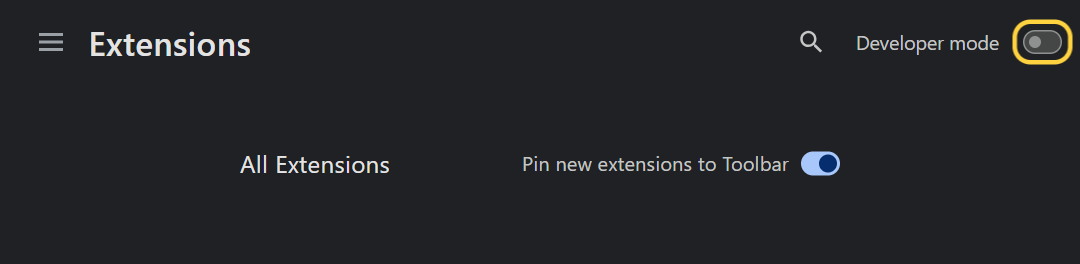
- Turn on Developer modeThe switch is at the top right. Then the button "Load unpacked" appears on the left.
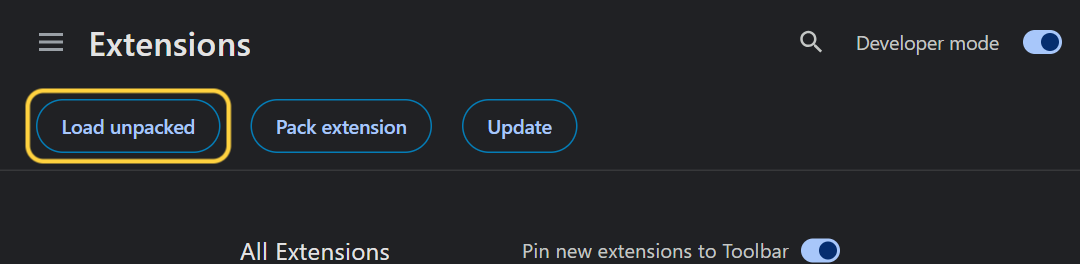
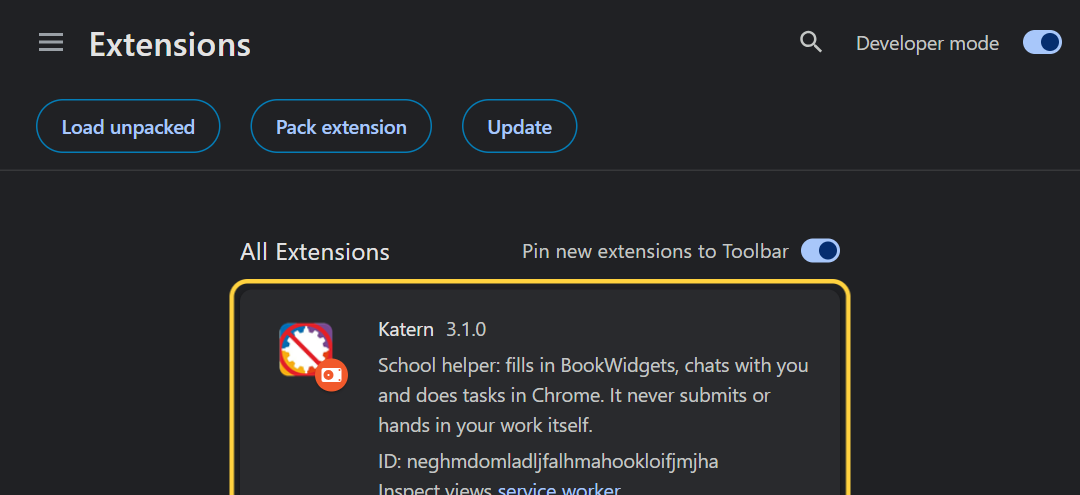
- Load KaternClick "Load unpacked". In the window, click the box "Folder:" at the bottom, press Ctrl+V (Katern Setup copied the folder for you) and click "Select Folder". Katern now appears in the list.
- Paste your codeClick Katern at the top right of Chrome (not there? Click the puzzle piece, then Katern). Choose "I have a code", paste your code and click "Activate". No code yet? Choose a plan · Lost your code?
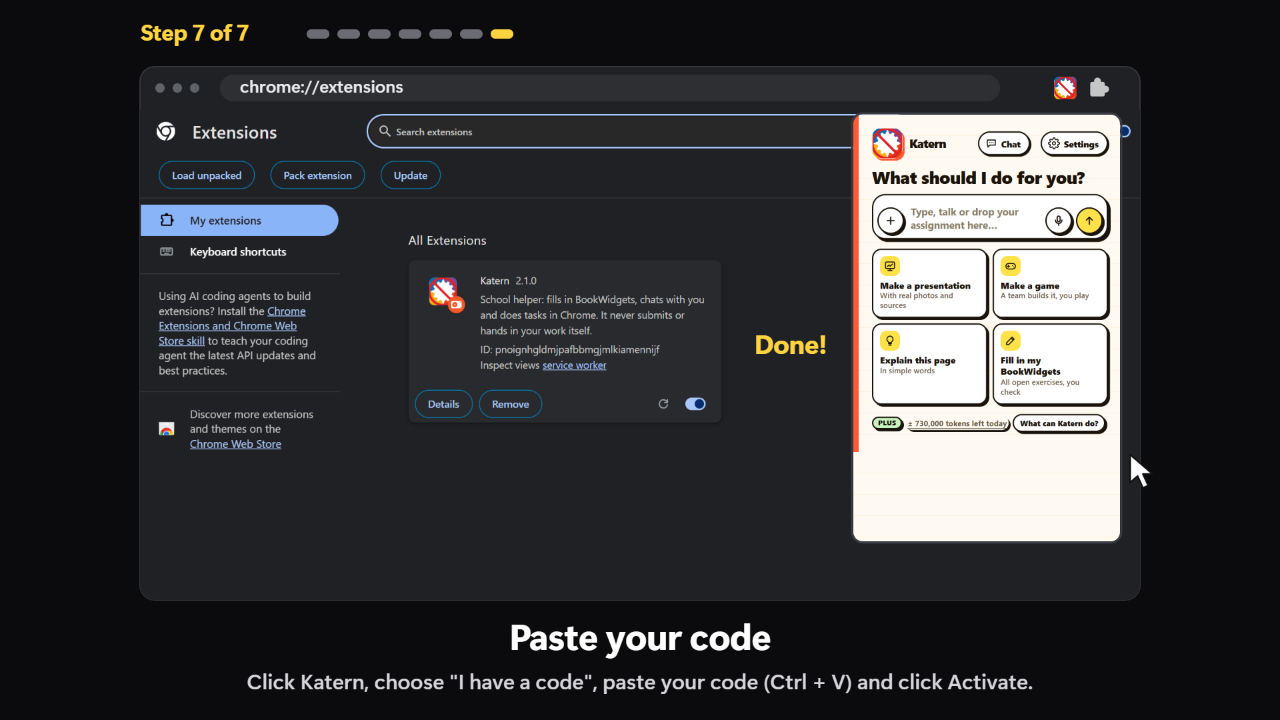
Leave Developer mode on. Chrome sometimes says Katern might be unsafe, because it does not come from the Chrome Web Store: just keep Katern.
New versions later: a yellow bar appears in Katern; one click and it updates itself.
By hand with the zip
A few more clicks, nothing to run.
- Download KaternClick "Download Katern (.zip)". It goes to your Downloads folder.
- Unzip itClick the folder icon next to the download in Chrome, or open Downloads. Right-click Katern.zip, choose "Extract All" and click "Extract". Double-clicking only looks inside the zip; it does not unzip it.
- Open chrome://extensionsCopy it with the button, click in Chrome's address bar, paste it (Ctrl+V) and press Enter. A website can never open this page for you: Chrome does not allow it.
chrome://extensions - Turn on Developer modeThe switch is at the top right. Then the button "Load unpacked" appears on the left.
- Load KaternClick "Load unpacked". Click Downloads on the left, click the folder Katern once (not Katern.zip) and click "Select Folder". Katern now appears in the list.
- Paste your codeClick Katern at the top right of Chrome (not there? Click the puzzle piece, then Katern). Choose "I have a code", paste your code and click "Activate". No code yet? Choose a plan · Lost your code?
Leave Developer mode on. Chrome sometimes says Katern might be unsafe, because it does not come from the Chrome Web Store: just keep Katern.
New versions later: a yellow bar appears in Katern; one click and it updates itself.
Mac
- Download KaternClick "Download Katern (.zip)". It goes to your Downloads folder.
- Unzip itClick the download in Chrome, or open Downloads in Finder, and double-click Katern.zip. A folder Katern appears next to it.
- Open chrome://extensionsCopy it with the button, click in Chrome's address bar, paste it (Cmd+V) and press Enter. A website can never open this page for you: Chrome does not allow it.
chrome://extensions - Turn on Developer modeThe switch is at the top right. Then the button "Load unpacked" appears on the left.
- Load KaternClick "Load unpacked". Press Cmd+Shift+G, paste ~/Downloads/Katern (copy it here), press Enter and click "Select". Or click Downloads on the left, then Katern, then "Select".
~/Downloads/Katern - Paste your codeClick Katern at the top right of Chrome (not there? Click the puzzle piece, then Katern). Choose "I have a code", paste your code and click "Activate". No code yet? Choose a plan · Lost your code?
Leave Developer mode on. Chrome sometimes says Katern might be unsafe, because it does not come from the Chrome Web Store: just keep Katern.
New versions later: a yellow bar appears in Katern; one click and it updates itself.
Chromebook
On a school Chromebook your school usually blocks this. On your own Chromebook it works.
- Download KaternClick "Download Katern (.zip)". It goes to your Downloads folder.
- Unzip itOpen the Files app and go to Downloads. Right-click Katern.zip and choose "Extract all". A folder Katern appears.
- Open chrome://extensionsCopy it with the button, click in Chrome's address bar, paste it (Ctrl+V) and press Enter. A website can never open this page for you: Chrome does not allow it.
chrome://extensions - Turn on Developer modeThe switch is at the top right. Then the button "Load unpacked" appears on the left.
- Load KaternClick "Load unpacked", choose Downloads, then the folder Katern, and click "Open". Katern now appears in the list.
- Paste your codeClick Katern at the top right of Chrome (not there? Click the puzzle piece, then Katern). Choose "I have a code", paste your code and click "Activate". No code yet? Choose a plan · Lost your code?
Leave Developer mode on. Chrome sometimes says Katern might be unsafe, because it does not come from the Chrome Web Store: just keep Katern.
New versions later: a yellow bar appears in Katern; one click and it updates itself.
It does not work?
Chrome says the manifest file is missing
You chose Katern.zip, or a folder around the right one. Choose the folder Katern that has manifest.json inside.
I don't see "Load unpacked"
Turn on Developer mode first, with the switch at the top right.
I can't turn on Developer mode
Your computer or Chrome is managed by a school or a company, and they block it. Use your own computer.
Clicking a link to chrome://extensions does nothing
Chrome never lets a website open that page. Type it or paste it in the address bar yourself.
Windows says "Windows protected your PC"
Click "More info" and then "Run anyway". Rather not? Use "By hand with the zip".
Katern is in the list twice
You loaded two folders. Keep the one where your code works and remove the other.
Chrome says Katern might be unsafe
That is because it does not come from the Chrome Web Store. Keep Katern and leave Developer mode on.
I have a phone or a tablet
Katern only works in Chrome on a computer: Windows, Mac or Chromebook.